Work/Leave Patterns
Usage
The Work Pattern function allows the facility to enter Leave codes and Shift Codes. This allows any regular patterns of leaves, for example Study Days, to be entered as a continuing pattern as well as entering all set work patterns for non-clinical staff i.e. administration staff working 9am – 5pm.
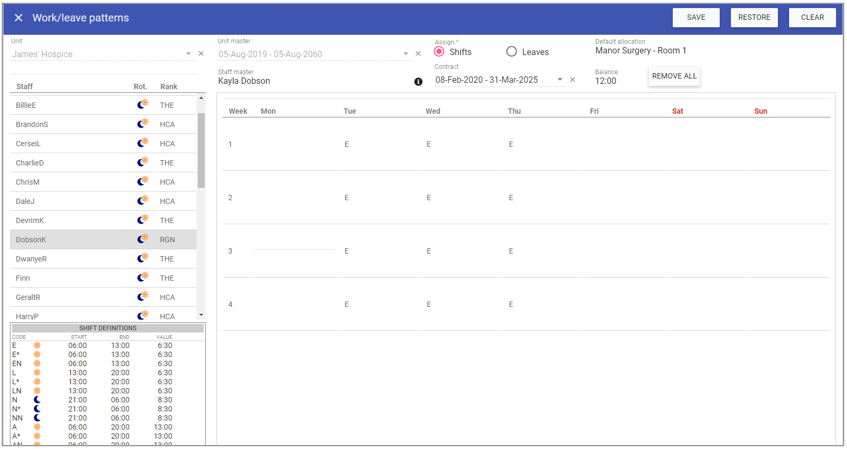
Creating a new Work Pattern
To add a new Work Pattern, click New and complete the required fields.
Unit: The unit to add the work pattern to.
Unit Master: The units contract information.
A list of staff members that are assigned to the selected unit are displayed.
Click on an individual staff member to create a work pattern for them.
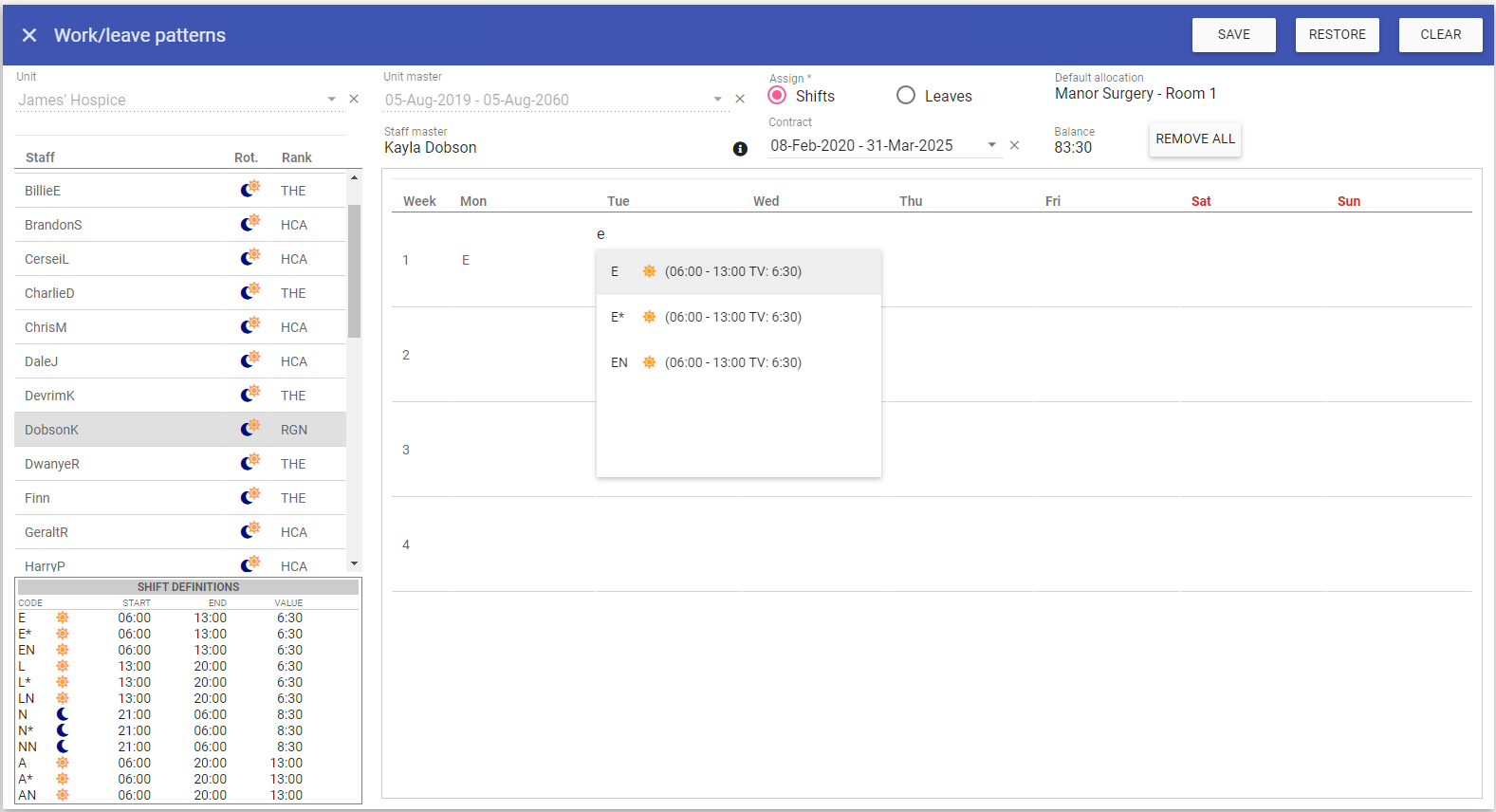 Click inside the corresponding day/week fields to enter a shift/leave entry to be created as a work pattern.
To move to another cell either click in the new cell or press the Tab key to move to the next cell.
Work Pattern – Balance: The balance will automatically be calculated and appear in the balance field when each shift/leave is added. The balance is based on hours per week x number of weeks in a rota for the selected unit.
Click on the Save button at the top of the screen.
Work Patterns on the Rota
Shift entries made through Work Patterns initially appear on the unsaved Rota with a Lime background colour.
Note: Work patterns are only displayed like this with the Lime background colour on unsaved
rota's only! If the rota has been saved the work pattern won't show until you access the next unsaved rota.
 Changes can be made by clicking on the shift and modifying as per a manually added shift.
Once a rota has been saved, the entries will be coloured with a black background as per a manually added shift.

Deleting a Work Pattern
1. Select the required cell that contains a work pattern shift/leave entry.2. Delete the entries in the desired work pattern cells. Note: If the work pattern changes, you could just delete only the work pattern desired. E.g. The Monday shifts only.
3. Click save at the top of the page .
4. A message appears saying that the work pattern has been saved.